
Overview
A server migration tool will not untangle a monolith. An AI coding assistant will not tell you whether an application is still worth keeping. Both can help with modernization, but they solve different problems.
The useful starting point is the work your team needs to finish. Perhaps an unsupported framework is blocking releases. Perhaps you have hundreds of applications and no reliable inventory. Or a mainframe replacement works in a test environment, but nobody has checked whether it produces the same financial results.
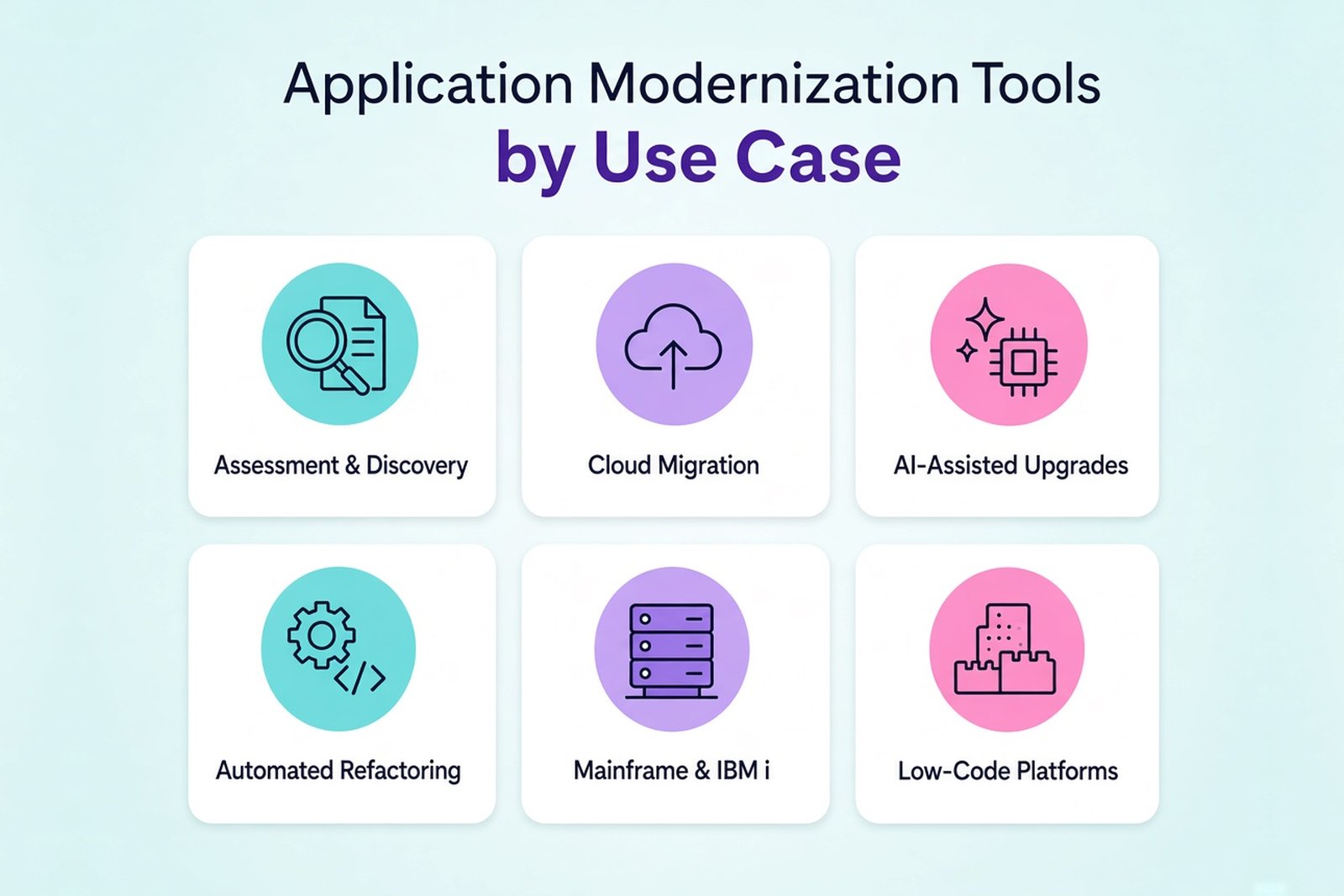
This guide groups application modernization tools by those jobs. It covers assessment, cloud migration, code changes and specialized legacy platforms, with the limits that matter when choosing a tool.
Application modernization tools at a glance
| Your task | Tools to consider | What to check first |
|---|---|---|
| Assess a large application portfolio | CAST Highlight, Konveyor | Language coverage and the information needed to prioritize work |
| Understand a monolith before restructuring it | vFunction | Supported runtimes and how representative the observed workloads are |
| Plan or carry out a cloud move | Azure Migrate, AWS Application Migration Service, Google Cloud Migration Center | Destination, workload support and which service performs the actual transfer |
| Upgrade supported applications with AI assistance | GitHub Copilot modernization, AWS Transform, IBM Bob | Exact transformation support, review workflow and code handling |
| Apply the same code change across repositories | OpenRewrite, Moderne | Available recipes and the changes they leave for engineers |
| Rehost mainframe applications or compare replacement outputs | Rocket Enterprise tools, Google Cloud Dual Run | Runtime compatibility or coverage of the comparison workload |
| Analyze and extend IBM i applications | Fresche X-Analysis, Profound Logic, IBM Bob Premium Package for i | Required languages, access to source and deployment constraints |
| Replace business workflows using a low-code platform | Power Apps, Mendix, OutSystems | Integration requirements, licensing and the cost of leaving the platform |
These are starting points for a shortlist. A product can cover several tasks without covering every language or deployment scenario in them.
What application modernization tools actually do
Application modernization tools automate parts of improving existing software. Some inspect source code. Others discover servers or change dependencies. A few help compare an old system with its replacement.
Moving an application is one possible part of modernization. It does not automatically make its code easier to maintain. A lift and shift can remove a hardware problem while leaving the application itself almost untouched.
Keep that distinction in the budget. If your problem is slow releases caused by tangled code, server migration alone will not resolve it.
Assessment and discovery tools
CAST Highlight
CAST Highlight analyzes source code across an application portfolio and reports on software health, cloud readiness and open-source risks. It helps answer a management question: where should the team spend its effort first?
That makes it useful when applications differ in age and technology, and the people funding the work need a comparable view. Its findings still need business context. An application with poor technical scores may be cheap to retire; another may be essential despite similar problems.
For deeper mapping of code dependencies, CAST offers a separate product, CAST Imaging. Check which analysis you need before choosing between them.
vFunction
vFunction focuses on application architecture, including Java and .NET systems. Its architectural observability combines information about code structure and runtime behavior to help expose coupling and possible service boundaries.
Use it when the question is where a monolith can be changed safely. A proposed boundary is something to investigate, not an instruction to create a microservice. Engineers need to understand the transactions and data ownership on either side of it.
Runtime observations also depend on what the application did during collection. Rare workflows deserve separate attention.
Konveyor
Konveyor is an open-source project for application modernization. Its analysis tooling helps identify changes needed when moving applications to new platforms, including Kubernetes environments.
It is worth considering when you want to inspect the analysis rules or adapt them to your own standards. Check coverage against the actual languages and frameworks in your portfolio. Open-source availability does not remove the work of configuring rules or reviewing findings.
Cloud migration tools
Azure Migrate
Azure Migrate brings together discovery, assessment and migration capabilities for workloads moving to Azure. It can help a team understand its current estate before choosing destination services.
Start with workload support. A server, a database and a web application may follow different assessment and migration paths. An inventory result is not a completed migration plan, especially where licensing or external integrations constrain the move.
AWS Application Migration Service
AWS Application Migration Service, often called AWS MGN, supports server rehosting through replication and launch on AWS.
It suits projects where exiting a data center is the immediate priority. The team still has to test the launched workloads and plan the cutover. Replication does not guarantee that every application dependency will work in the new environment.
Google Cloud Migration Center
Google Cloud Migration Center supports asset discovery, cost assessment and migration planning. It helps identify dependencies and evaluate possible Google Cloud destinations.
The workload transfer uses the relevant migration tooling. Treat Migration Center as the place to assess and organize the move, then confirm which service handles each workload.
Database migration services
AWS Database Migration Service and Azure Database Migration Service support database transfers, with online migration available for supported scenarios. Capabilities depend on the source and destination engines.
Check schema conversion separately. Copying rows is not the same as converting stored procedures or preserving application behavior. The migration plan needs data validation and a way to handle writes during cutover.
AWS Migration Hub stopped accepting new customers on November 7, 2025. AWS points new customers toward AWS Transform. Older tool lists that recommend Migration Hub without this qualification need updating.
AI tools for application modernization
AI tools can help investigate unfamiliar code and propose changes. The important question is which transformations the product supports in your application, not how impressive its generated code looks in a demo.
A successful build is a useful check. It says little about a payroll calculation that has changed by a few cents.
GitHub Copilot modernization
GitHub Copilot modernization supports analysis and upgrades for Java, .NET and C++ applications. Its supported Azure migration scenarios cover .NET and Java. Microsoft also provides a CLI experience for assessment and planning across applications.
The tool can propose changes to dependencies, help address build failures and generate deployment assets. Its changes remain reviewable.
For a team already using Copilot, this is a practical candidate for a pilot. Pick an application with a known upgrade problem and compare the generated changes with your engineering standards. Language support alone does not mean that every framework version or application type is supported.
AWS Transform
AWS Transform offers specialized workflows for modernization and migration, including .NET, mainframe and VMware workloads. It also provides custom transformations.
Choose the workflow that matches the application. A .NET runtime upgrade and a mainframe conversion require different validation, even when both appear under the same product name.
The published pricing model distinguishes free enterprise workload capabilities from paid custom transformations. AWS-managed .NET transformations have a free usage allowance. Budget separately for infrastructure, engineering review and testing; a free transformation feature does not make the project free.
IBM Bob
IBM's current modernization offering includes IBM Bob and Premium Packages for Java, IBM i and IBM Z. IBM describes Bob as the evolution of its code assistants, while continuing to support existing watsonx Code Assistant customers.
For IBM i or Z work, evaluate the relevant package rather than relying on a generic AI assistant comparison. Source access, supported artifacts and deployment options matter as much as code generation.
An overview written around older watsonx announcements can miss the current product structure. Use the package documentation for the platform you actually run.
How to validate AI-generated changes
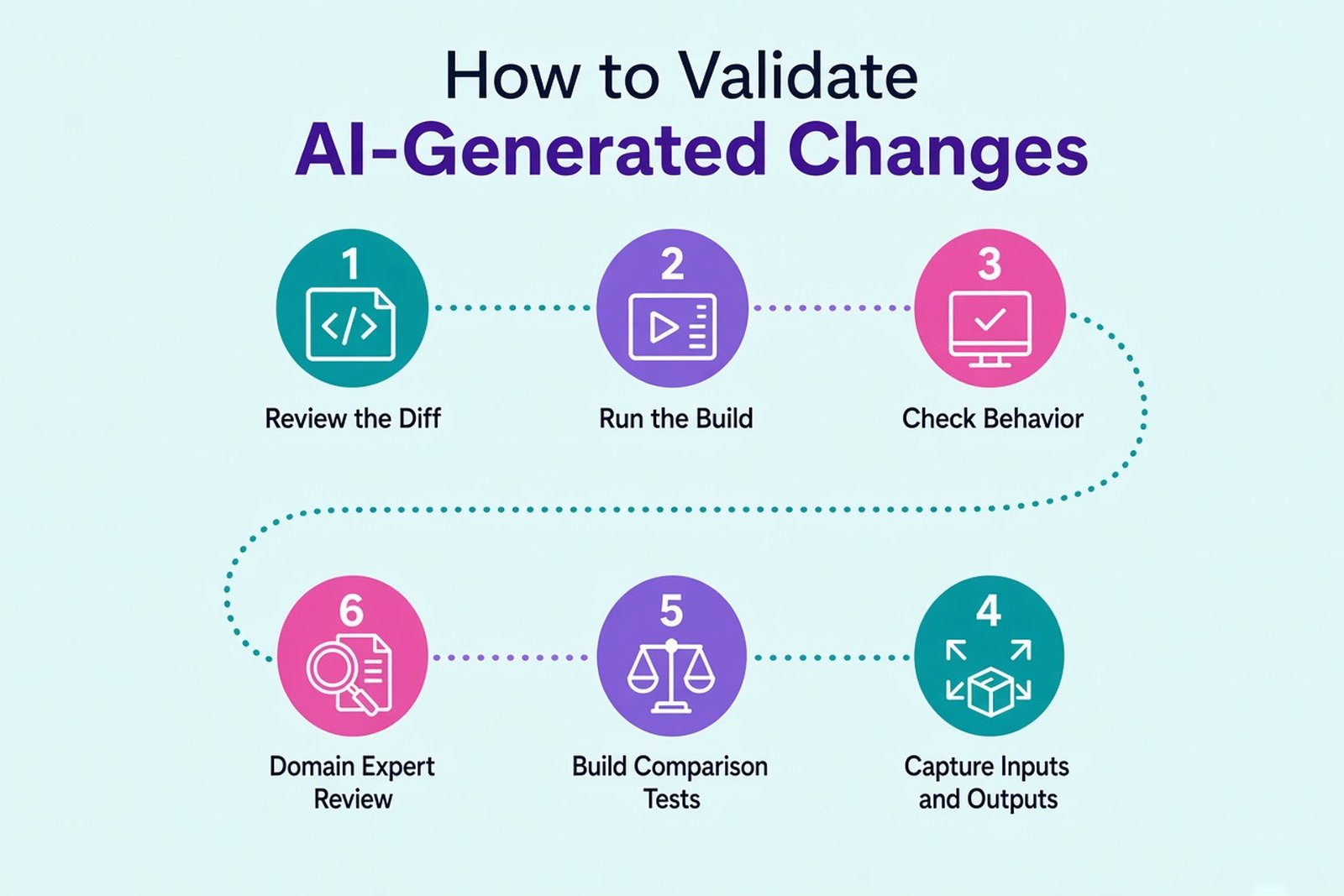
Review the diff and run the build, then check behavior. Existing automated tests help, but legacy systems often have gaps in coverage.
Where tests are missing, capture representative inputs and outputs from the old system. Build comparison tests around critical calculations. Domain experts may need to review exceptions that cannot be inferred reliably from source code.
Do this before accepting a large conversion. Otherwise, the team ends up comparing two implementations without knowing which behavior must be preserved.
Automated refactoring with OpenRewrite and Moderne
Some upgrades consist of repeated, well-defined changes. They do not need a fresh AI-generated solution for every repository.
OpenRewrite applies refactoring recipes for tasks such as framework migrations, dependency updates and API replacements. Engineers can inspect the resulting source changes and commit them through their normal workflow.
Moderne provides a commercial platform for running this work across multiple repositories, with tools for analyzing impact and coordinating changes.
This approach is useful when a platform team needs to apply a common upgrade across an estate. Check the recipes first. Business-specific behavior outside their scope still needs engineering work, and transformed code still needs tests.
Mainframe and IBM i modernization tools
Google Cloud Dual Run
Google Cloud Dual Run supports parallel execution and comparison between a mainframe workload and its Google Cloud counterpart.
It helps expose differences before switching production processing. The confidence gained depends on workload coverage: matching results for tested cases cannot establish that every possible case will match.
Dual Run belongs in the validation plan. It does not perform the application rewrite.
Rocket Enterprise tools
Rocket offers development and runtime products for COBOL and mainframe application modernization, including approaches that preserve existing code while changing where it runs.
Rehosting can be attractive when the business wants to keep established application behavior. Compatibility still needs checking, especially for platform-specific integrations and operational tooling.
Rocket completed its acquisition of OpenText's Application Modernization and Connectivity business in May 2024. Older documentation may refer to OpenText or Micro Focus. Confirm the current product and licensing with Rocket.
Fresche X-Analysis and Profound Logic
Fresche X-Analysis helps analyze and document IBM i applications. It can support the work of understanding program dependencies and existing business logic before changes begin.
Profound Logic offers products for extending IBM i applications and modernizing their interfaces. That may suit a system whose core processing can stay in place while users need better access to it.
These are different jobs. Replacing a screen does not resolve undocumented calculations behind it.
API integration and low-code platforms
An API layer can expose selected legacy capabilities while the core system stays in service. Azure API Management, Amazon API Gateway and Apigee can help manage access to APIs, but the team must build or adapt the backend interface. An API gateway does not turn arbitrary legacy code into a usable API on its own.
Low-code platforms offer another option: rebuild a workflow or application using a platform's development model. Power Apps, Mendix and OutSystems should be evaluated individually. Their capabilities and licensing are not interchangeable.
Approval workflows and internal data-entry applications can be sensible pilot candidates. Complex requirements do not automatically rule low-code out, but they make a representative pilot more important. Test integrations, performance and permission rules before committing to a platform.
Check the exit path too. Find out what you can export, what requires the vendor's runtime and how much the application will cost as its user count grows.
Engineering tools the project still needs
Specialized modernization products do not replace the delivery tools your engineers use every day.
Containers can package an application consistently, although configuration and external dependencies still affect its behavior. Kubernetes adds orchestration where the operational requirements justify it. It is not a prerequisite for modernization.
Infrastructure as code helps recreate environments. CI pipelines build and test changes; continuous delivery can retain an approval before production release.
Keep monitoring in place during the transition. Error rates, response times and business outputs provide evidence that the new system is working. A deployment marked successful is only the beginning of that check.
How to choose application modernization tools
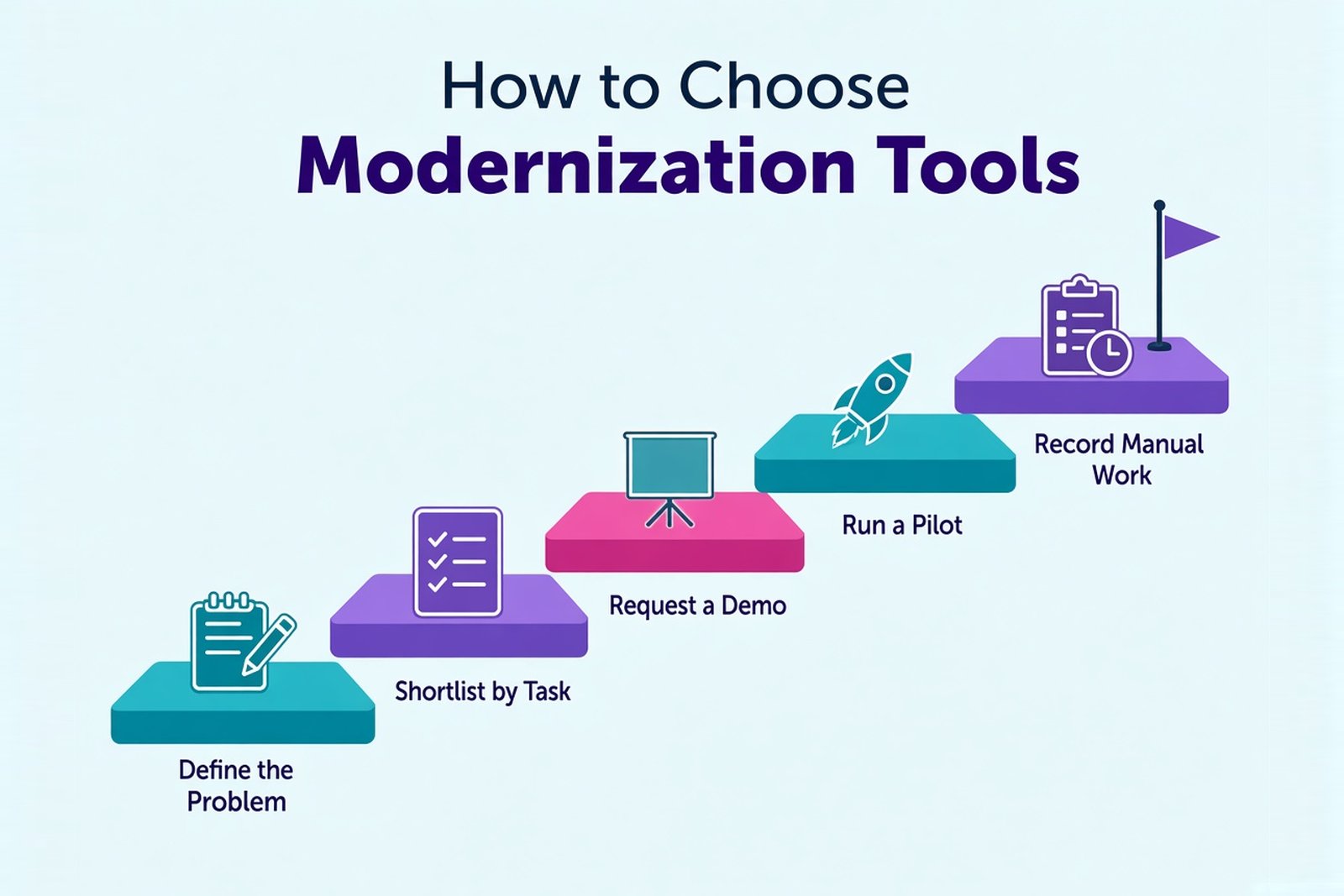
Start with one application and one specific task. Ask the vendor to demonstrate the transformation on something close to your system, including the awkward parts.
| Decision | Evidence to request |
|---|---|
| Does it support our stack? | Exact versions, application types and unsupported features |
| Can we review its work? | Source diffs, generated plans and a clear approval workflow |
| How does it handle proprietary code? | Data location, retention, access controls and training terms |
| What will we have afterward? | Ownership of generated code and dependencies on the vendor runtime |
| What does the full project cost? | Licensing, usage charges, review effort and parallel operation |
| Can we recover from a failed change? | Reversible commits, data recovery arrangements and a cutover plan |
Run a pilot before buying for the whole portfolio. Record the manual work left after automation, not just the amount of code the tool changed. A useful result is an upgrade your team can explain, test and maintain.
When you need a modernization partner
A tool can reveal dependencies or produce a patch. Someone still has to decide which behavior matters and who will maintain the result.
In a Softellar accounting and payroll modernization project, the team recovered business rules from a legacy desktop product before rebuilding it as a SaaS application on .NET and Azure. Comparison tests checked legacy outputs against the new services, alongside automated payroll tests.
That work illustrates why code conversion is only part of a project. If the internal team cannot cover the legacy stack or validation work, a partner can help. Ask for experience with similar systems and a handover plan that leaves your engineers able to support the application.
See Softellar's legacy application modernization services for its approach, or its dedicated .NET migration services for .NET Framework upgrades.
Choosing the tools for your project
Write down the problem before selecting the product. An unsupported runtime calls for a different tool from an unknown application portfolio or a mainframe replacement awaiting validation.
Test the shortlist on a representative application. Keep the changes that your engineers can review and maintain, and account for the work automation leaves behind. That is where a promising tool becomes a useful part of a modernization project.