Move your .NET Framework, ASP.NET and desktop applications to .NET 10 with a phased plan that keeps disruption for your users as low as possible.
We migrate in increments, agree the cutover plan with you in advance and check that the new version produces the same results as the old one.
.NET migration moves applications built on .NET Framework or older .NET versions to .NET 10, the current long-term support release. The application keeps its business logic and data, but runs on a supported, actively developed platform with current security patches, performance work and tooling. The reasons to migrate are rarely about the technology alone: these are the risks that grow while an application stays on an outdated version.
Out-of-support versions no longer receive security patches. Every newly discovered vulnerability stays open, and with it the risk of a breach, data loss and the reputation damage that follows.
The older the platform, the harder it is to find compatible libraries and tooling. Routine changes take longer and cost more every year, while the migration itself only gets larger.
New libraries, cloud services and AI tooling target modern .NET first. Staying on .NET Framework rules out containers, Linux hosting and much of the current ecosystem.
Most .NET engineers work with modern .NET and are reluctant to join legacy codebases. The longer the system stays behind, the harder and more expensive it is to staff.
For some applications, the deadline is fixed. Support for .NET 8 and .NET 9 ends on November 10, 2026, and versions such as .NET Core 3.1, .NET 6 and .NET 7 are already out of support. After that point, Microsoft no longer ships security patches for them. .NET 10 is the current long-term support release, supported until November 14, 2028.
For .NET Framework 4.8 and 4.8.1, it is a planning decision rather than a deadline. Both are supported as components of Windows, so they stay supported as long as the Windows version they run on is supported. Version 4.8.1 is the last release of .NET Framework. The reasons to migrate are different: new platform features, most new libraries and container-based hosting target modern .NET.
| Your version | Status | What it means |
|---|---|---|
| .NET Core 3.1, .NET 5, 6, 7 | Out of support | Upgrade to .NET 10 as a priority |
| .NET 8 (LTS), .NET 9 | Support ends November 10, 2026 | Plan the upgrade to .NET 10 now |
| .NET Framework 4.6.2 | Support ends January 12, 2027 | Move to 4.8.1 or migrate to .NET 10 |
| .NET Framework 4.8 / 4.8.1 | Supported while the Windows version is supported | Migrate when you need modern features, libraries or hosting |
| .NET 10 (LTS) | Supported until November 14, 2028 | Recommended target version |
Source: Microsoft .NET and .NET Framework support policies, checked October 2026.
Engineering in Warsaw, Poland. Client office in New York.
Class libraries, services and back-end logic move from .NET Framework to .NET 10, the current version of what used to be called .NET Core. This includes converting project files, replacing APIs that no longer exist and updating NuGet packages. See our .NET development services.
ASP.NET MVC and Web API move to ASP.NET Core. Web Forms has no direct equivalent there, so its pages are rebuilt in Razor Pages, Blazor or a React or Angular front end, one section at a time. See our ASP.NET development services.
WCF services usually move to REST APIs or gRPC. If clients depend on existing SOAP contracts, CoreWCF can be an option. We check which bindings, security settings and features the service uses before choosing it.
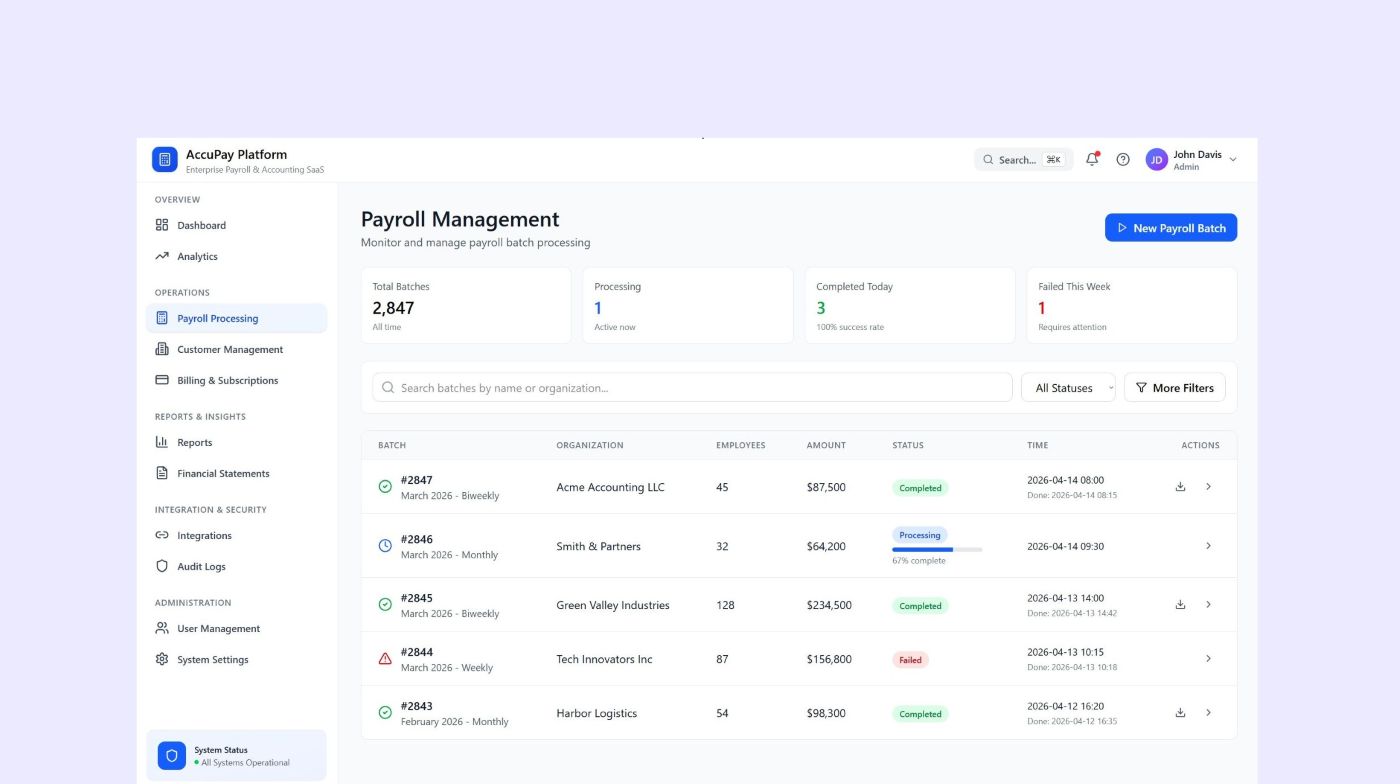
WinForms and WPF applications can move to .NET 10 and keep their interface, or be rebuilt as web applications. They stay Windows applications after migration. Our accounting platform project shows the second path: a desktop product rebuilt as a multi-tenant SaaS.
Already on .NET Core 3.1, .NET 6 or .NET 8? We upgrade to .NET 10, update dependencies and fix breaking changes. This is usually a smaller project than a framework migration.
Web applications and services on modern .NET can run in containers, on Linux and on Azure App Service, AWS or Google Cloud. If moving to the cloud is part of the plan, see our cloud migration services.
| Layer | From | Typical target |
|---|---|---|
| User interface | WinForms, WPF | .NET 10 on Windows, or a web app |
| Web | ASP.NET Web Forms, ASP.NET MVC | ASP.NET Core with Razor Pages, Blazor, React or Angular |
| Services | WCF, ASMX, ASP.NET Web API | ASP.NET Core Web API, gRPC, or CoreWCF where it fits |
| Data | Entity Framework 6, ADO.NET | Can often be retained, subject to compatibility checks. Moving to EF Core is optional |
| Hosting | IIS on Windows Server | IIS, containers on Windows or Linux, Azure App Service, Kubernetes |
A note on the data layer: Entity Framework 6 and ADO.NET can run on modern .NET, so a migration doesn't have to include a move to Entity Framework Core. Database providers, packages and configuration still need a compatibility check. EF Core changes how some queries and features behave, so we treat it as a separate step and recommend it only when it pays off.
Microsoft's guidance for ASP.NET describes two main paths, incremental and in-place. In practice there are more options, and we apply the same logic to other .NET applications.
A new ASP.NET Core application sits in front of the old one and takes over routes one by one, while the rest still runs on .NET Framework. This is the Strangler Fig pattern. It suits large production systems, apps with heavy System.Web dependencies and teams that can't pause feature work.
The whole codebase moves at once. It works for small and medium apps with few dependencies, where a short feature freeze is acceptable.
When the old architecture blocks what the business needs, for example a desktop product that must become SaaS, we rebuild on modern .NET and carry the business logic over.
The existing application keeps running unchanged while new functionality is built in a separate ASP.NET Core application. Over time, more of the system lives on the new platform. It suits stable systems where changing existing code is hard to justify.
Shared libraries move to .NET Standard 2.0, so the same code runs on both .NET Framework and modern .NET. The application then migrates piece by piece while both platforms stay in production.
The application moves to new infrastructure, for example Windows containers or Azure App Service, without changing the framework. It doesn't remove the .NET Framework dependency, but it can be a first step when hosting is the urgent problem rather than the platform.
We recommend an approach after the technical assessment, not before.
Contact us to book a technical assessment or to talk your situation through with a .NET architect.
A migration competes with your roadmap for the same people. The incremental approach lets your team keep shipping features while the system moves to modern .NET route by route.
Hidden dependencies discovered mid-project are the most common reason migrations go over budget. The technical assessment and the pilot exist to surface them before the main work is estimated.
A failed cutover costs trust and revenue. We agree the cutover plan and any maintenance window with you in advance, monitor the new version and keep a rollback option ready.
The developers who wrote the system are often no longer around. We recover business rules from the legacy code and protect them with parity tests that compare old and new outputs on real scenarios.
An application on an out-of-support version shows up in security audits, customer questionnaires and insurance reviews. A migration plan with dates gives you an answer before it becomes a finding.
A half-finished migration leaves two stacks to maintain indefinitely. We split the work into phases that each end with something released to production, so the project keeps moving and can pause safely between phases.
HttpContext and related types are often spread across the codebase. We isolate them first, so business logic can move without them.
Some NuGet packages and third-party components were never released for modern .NET. We find replacements during the assessment, before they block a release.
Code that uses the registry, COM or Windows-specific libraries won't run on Linux. We decide case by case whether to replace it or keep the app on Windows.
Session state, authentication, configuration and caching work differently in ASP.NET Core. We test these areas explicitly and compare results between the old and new versions.
Whether the switch needs a maintenance window depends on the database, integrations and how traffic is moved. We plan this with you and agree on the cutover window in advance.
Legacy systems often have little automated testing, so regressions can slip through unnoticed. We add tests around the critical paths before the code starts moving, then use them to compare the old and new versions.
A call with a .NET architect about your application, its version, size and integrations. You get a first view of the possible approach and a rough range for timeline and budget.
We analyze the code, dependencies, infrastructure and integrations, then define the migration scope and target version. This stage is usually free; for larger systems that need a dedicated discovery with full team involvement, it becomes a paid, fixed-price engagement. It usually takes two to three weeks. You get an assessment report, a migration plan with the order of projects, risks, timeline and a cost estimate.
We migrate one representative part of the system first. It validates the tools and the estimate before the main work starts.
We carry out the agreed plan, whether it is an incremental migration, an in-place migration or a rebuild. Where the approach allows, the work is split into steps that can be tested and released separately.
Automated tests cover the critical paths. For calculations and data processing, we compare outputs between the old and new versions on real scenarios.
Traffic moves to the new version according to the agreed plan, with monitoring and a rollback option. If a maintenance window is needed, it is scheduled with you.
The .NET API analyzers in Visual Studio, Roslyn-based rules and other analyzers to find unsupported APIs and breaking changes.
BenchmarkDotNet and load tests to compare performance before and after migration, so gains are measured rather than assumed.
GitHub Copilot modernization, which Microsoft now recommends in place of the deprecated .NET Upgrade Assistant. Our engineers review every change it proposes.
SonarQube and static analysis to keep code quality visible while large parts of the codebase change.
NuGet dependency graphs and compatibility checks to map every package and find the ones without a modern .NET version before they block a release.
Docker images, Kubernetes manifests and infrastructure as code for the new hosting environment, where the plan includes one.
CI/CD with GitHub Actions or Azure DevOps, automated tests with xUnit and Playwright.
Application Insights and OpenTelemetry to compare behavior before and after cutover.
We work across the .NET ecosystem, from legacy .NET Framework codebases to .NET 10, containers and cloud platforms.

.NET Core

C#
ASP.NET Core

Blazor
Entity Framework

gRPC

Azure

AWS

Docker

Kubernetes

Azure DevOps

GitHub Actions

xUnit

Playwright

SQL Server

PostgreSQL

Redis
Tell us which .NET version your application runs on and what it does. A .NET architect will review it with you and suggest a possible approach. We reply within 24 hours and can sign an NDA before reviewing your code.
These projects show how the team works with legacy .NET systems, business logic and production cutovers.
Hear from clients who trusted us with their .NET systems, migrations and long-term development.
"We were looking for a solution to automate our daily routine operations, and Softellar provided us with a custom development service. The solution they provided was not only efficient and accurate, but also integrated seamlessly with our existing internal system."
"Thanks to the expertise and dedication of the team at Softellar, we were able to take our data management to the next level. Their innovative solutions helped us streamline our processes and gain valuable insights that have positively impacted our business."
"Working with Softellar was a great experience. They consistently demonstrated their commitment to delivering a successful outcome. The team was very responsive, communicated effectively, and were always available to address any questions or concerns we had."
"We were looking for a solution to automate our daily routine operations, and Softellar provided us with a custom development service. The solution they provided was not only efficient and accurate, but also integrated seamlessly with our existing internal system."
"Thanks to the expertise and dedication of the team at Softellar, we were able to take our data management to the next level. Their innovative solutions helped us streamline our processes and gain valuable insights that have positively impacted our business."
Supported versions receive regular patches, which matters for audits and compliance.
New libraries, cloud SDKs and AI tooling are built for modern .NET first.
Each .NET release includes runtime and library performance work. How much your application gains depends on its bottlenecks, so we measure before and after.
Most .NET engineers today work with modern .NET. A current platform makes it easier to hire and onboard developers than a legacy .NET Framework codebase.
Web applications and services can run on Linux and in containers, which can lower infrastructure costs. Desktop apps built on WinForms or WPF stay on Windows.
Microsoft ships a new .NET version every November, with an LTS release every two years. After migration, staying current becomes routine maintenance instead of another big project.
After cutover, we fix issues found in production, tune performance and keep the application current with .NET updates. If the plan goes further, the same team can split a monolith into services, add containers and CI/CD or build new features. You can also take the system over with full documentation. See our application modernization services and .NET development services.
Our engineering team is in Warsaw, Poland, and our client office is in New York. Working hours overlap with US Eastern Time.
We run the whole .NET migration project, from assessment to support.
Best for: Migrations with a defined scope where you want one team accountable for the result
A team of .NET engineers that stays with a long migration program.
Best for: Long migration programs that continue into modernization and new development
Our .NET developers join your team for the parts that need specific experience, such as Web Forms or WCF.
Best for: In-house teams that need extra .NET migration experience for specific parts of the work
Tell us about your application and constraints, and we'll suggest the engagement model that fits the scope and your team. The consultation is free.
Schedule Free Consultation
Big tech companies have contributed manifold to software development technology over the years. The .NET framework invented by Microsoft has achieved all of this and more.

Alina Karapetava
Head of People, Softellar
C# and Java look like close relatives, and in many ways they are. Both are statically typed, object-oriented languages with C-style syntax, garbage collection, and mature ecosystems for web, cloud, and enterprise software. A developer who knows one can read the other on day one. Writing good code in it takes longer.

Kirill Bahdanovich
Head of Technology, Softellar

Application modernization is the process of improving an existing application so it is easier to change, cheaper to run and safer to operate. It can mean upgrading outdated frameworks and dependencies, adding automated tests, restructuring the code into clear modules, moving to cloud infrastructure or rebuilding parts of the system.

Alexandra Mazurava
Head of Growth, Softellar
Common questions about .NET migration, timelines and costs.