
Overview
There are many programming languages in active use today, hundreds of them by most counts, and depending on how you count dialects, forks, and academic experiments, you could stretch that number into the thousands. Most of them will never touch a production codebase. A much smaller group, maybe two or three dozen, actually runs the software people use every day.
Picking one for a real project is a different problem than picking one to learn. The right choice depends on what you're building, who's on your team, what you already have in production, and how fast you need to ship. Cloud infrastructure, AI-heavy workloads, and a growing preference for typed languages have all reshuffled the list over the past few years, and 2026 looks noticeably different from 2020.
This guide compares the programming languages that matter most right now: what each one is actually good at, and where each one falls short. Python remains a default for AI and data work. TypeScript has become the language most professional web teams reach for first. Java and C# still run a large share of enterprise software, and Go, Rust, and a handful of newer languages keep gaining ground in cloud and systems development.
None of that means one of them is simply "the best." That question doesn't have a single answer, and anyone who gives you one probably hasn't shipped much software.

Key Takeaways
- Python remains the dominant general-purpose language across AI, machine learning, and much of modern data science, and its lead in that space isn't shrinking.
- TypeScript became the most-used language on GitHub by contributor count in 2025, reflecting its growing role in modern web development.
- Java and C# remain the backbone of enterprise software, not because they're exciting, but because they're stable, well-supported, and easy to staff.
- Go keeps winning cloud infrastructure and backend tooling because it's simple to learn and built for concurrency from day one.
- Rust is the language to reach for when memory safety and raw performance both matter, though it takes longer to learn than most alternatives.
- Swift and Kotlin are the default choices for native iOS and Android apps, while Dart covers cross-platform development through Flutter.
- No language on this list is right for every project. The fit depends on your product, your team, and your existing stack.
Programming Languages at a Glance
Before the details, here's the short version. This table covers sixteen languages most likely to matter for a real software decision in 2026, rated on how they're commonly used, not on a rigid scoring formula. Adoption and momentum are shown separately on purpose: a language can have a huge existing footprint and still be losing ground (PHP), or a small footprint and still be climbing fast (Rust). Collapsing both into one "popularity" number hides that difference.
| Language | Best For | Adoption | Momentum | Learning Curve | Performance | Key Strength |
|---|---|---|---|---|---|---|
| Python | AI, ML, data science, automation | Very High | Rising | Easy | Moderate (CPython) | Ecosystem depth for AI and data work |
| TypeScript | Large-scale web frontend and backend | Very High | Rising | Moderate | Runtime-dependent | Type safety on top of JavaScript |
| JavaScript | Web development, browser scripting | Very High | Stable | Easy to Moderate | Moderate | Runs natively in every browser |
| Java | Enterprise software, backend systems, existing Android codebases | Very High | Stable | Moderate | High | Mature ecosystem, long-term stability |
| C# | Enterprise apps, Windows, game dev (Unity) | High | Stable | Moderate | High | Deep integration with the .NET ecosystem |
| C++ | Game engines, systems, performance-critical apps | High | Stable | Hard | Very High | Fine-grained control over hardware |
| Go | Cloud infrastructure, backend services, DevOps tools | Moderate | Rising | Easy to Moderate | High | Built-in concurrency, simple deployment |
| Rust | Systems programming, safety-critical software | Moderate | Rising | Hard | Very High | Memory safety without a garbage collector |
| SQL | Querying and managing relational databases | Very High | Stable | Easy | Database-dependent | The standard language for relational data |
| C | Operating systems, embedded systems, drivers | High | Mature | Moderate to Hard | Very High | Minimal overhead, close to the hardware |
| Swift | iOS and macOS app development | High | Stable | Moderate | High | Native performance on Apple platforms |
| Kotlin | Android development, JVM backend | High | Rising | Moderate | High | Modern syntax, full Java interoperability |
| PHP | Server-side web development | High | Mature | Easy to Moderate | Moderate | Runs a large share of the web's backend |
| Dart | Cross-platform mobile apps (Flutter) | Moderate | Rising | Moderate | High | One codebase for iOS and Android |
| Ruby | Web applications, startups, scripting | Moderate | Mature | Easy | Moderate | Fast development with Ruby on Rails |
| R | Statistical analysis, data visualization | Niche | Stable | Moderate | Moderate | Purpose-built for statistics |
TypeScript and SQL get "runtime-dependent" and "database-dependent" instead of a fixed performance tier deliberately. TypeScript compiles to JavaScript and has no execution speed of its own, separate from whatever runs the generated code. SQL's speed depends entirely on the database engine, indexing, and query design, not on the language itself.
What Is a Programming Language?
A programming language is a formal set of rules for telling a computer what to do. You write instructions a human can read, and a compiler or interpreter turns them into the binary code a machine actually executes. Unlike a human language, it leaves almost no room for ambiguity. Get one character wrong and nothing runs.
People often use "programming languages" and "coding languages" interchangeably, and for practical purposes they mean the same thing.
Different languages exist because different problems need different tradeoffs. A language built for controlling hardware, like C, looks nothing like a language built for querying data, like SQL, and neither looks much like one built for statistical analysis, like R. Using one tool for every job usually means fighting the language instead of writing code.
A few categories are worth knowing. Compiled languages (C, C++, Rust, Go) turn code into machine instructions ahead of time, which tends to make them fast. Interpreted or scripting languages (Python, Ruby, PHP) run through an interpreter at execution time, usually slower but faster to write and test. Statically typed languages (Java, C#, TypeScript, Rust) check types before the program runs; dynamically typed languages (Python, JavaScript, PHP) check them on the fly, trading some safety for flexibility.
You'll also hear languages described by paradigm. Object-oriented languages organize code around objects and classes (Java, C#, Python). Functional programming languages treat computation as the evaluation of functions and avoid changing state (Elixir, Haskell, and increasingly, features borrowed into mostly object-oriented languages like Python). Procedural languages like C just run a sequence of instructions, step by step. Logic programming languages, Prolog is the classic example, express a problem as rules and facts rather than a sequence of steps, though you'll rarely run into one in commercial work. Most general-purpose programming languages borrow from more than one paradigm, so these labels describe a dominant style, not a strict box.
None of this makes a language objectively better. It just describes the kind of problem it was built to solve.
How Many Programming Languages Are There?
Nobody has an exact count, and anyone who gives you a precise number is guessing. Depending on how loosely you define "a language," estimates for the full list of programming languages range from several hundred to a few thousand once you include historical languages, academic research projects, and small dialects built for a single system.
Most of that list is irrelevant to commercial development. A large share is academic, languages built to prove a research point, teach a concept, or explore a new type system, never meant to run in production. Another chunk is historical, still technically alive somewhere but no longer taught, hired for, or actively developed.
What's left once you filter for real hiring demand, active maintenance, and a working ecosystem is a list you can count on two hands and a bit more. That's what this guide focuses on: languages with practical value for a software product in 2026, plus a handful of older ones still worth knowing.
How We Selected the Top Programming Languages
This list isn't built off a single ranking. Popularity indexes disagree with each other constantly, sometimes by a wide margin, because they measure different things.
We weighed several signals together: real-world adoption in production systems, developer activity on platforms like GitHub, how mature and complete each language's ecosystem of libraries and frameworks is, job market relevance, commercial adoption at scale, raw performance where it matters, how broad a language's use cases are, community support, and both current growth and long-term relevance rather than a single snapshot in time.
Where useful, we pulled from GitHub's Octoverse report, the Stack Overflow Developer Survey, and the TIOBE Index, three sources that measure popularity in genuinely different ways and often produce different top-ten lists as a result. Octoverse tracks contributor activity across public repositories. Stack Overflow's survey asks working developers what they actually use and what they'd pick given a free hand. TIOBE counts search engine results for language-related queries, which says more about how much a language gets discussed than how much code gets shipped in it.
None of that adds up to a clean, objective ranking, and we're not pretending it does. The languages below aren't ordered 1 to 20 by any scoring formula, and where you see one listed before another, that's not a claim that it's better. A specialized language can be the right choice for a specific project even if it's less popular overall than a general-purpose competitor. R ranks well below Python in almost every popularity index, and it's still the better tool for a statistician running a regression.
That's the lens for everything that follows: not "what's most popular," but "what's actually worth considering, and for what."
Top Programming Languages in 2026
Python
- Best for: AI, machine learning, data science, automation, backend development
- Learning curve: Easy
- Performance: Moderate (CPython)
- Popular frameworks and tools: Django, FastAPI, Flask, NumPy, Pandas, PyTorch
What Python Is Used For
Python shows up everywhere data does: machine learning pipelines, data analysis scripts, backend APIs, DevOps automation, scientific computing, even the glue code holding a company's internal tools together. If a team needs to get from idea to working prototype fast, Python is usually part of the conversation.
Why Python Is Popular
The syntax reads close to plain English, which flattens the learning curve for beginners without limiting what experienced engineers can build. Its real strength is the ecosystem built up over three decades: NumPy and Pandas for data work, PyTorch and TensorFlow for machine learning, Django and FastAPI for backends. GitHub's Octoverse 2025 report counted 582,196 new AI-tagged repositories with Python as their primary language, up 50.7% year over year and close to half of all new AI repositories on the platform, which says a lot about where the AI industry actually writes its code. It's also why teams starting a Python development project rarely need to justify the choice the way they might with a newer, less proven language.
Advantages of Python
Readable syntax that new team members pick up quickly. An enormous library ecosystem covering almost any general-purpose task. A strong hiring pool, since it's one of the most taught languages in universities and bootcamps. Genuine range across scripting, research, and production APIs.
Limitations of Python
CPython, the standard implementation most teams actually run, delivers noticeably lower raw CPU performance than compiled languages like Go, Rust, or C++, though many of Python's data and AI libraries hand the heavy computation off to optimized native code underneath, which softens that gap for the workloads that matter most. Dynamic typing can let bugs slip through that a statically typed language would catch at compile time. It's rarely a practical first choice for mainstream native or cross-platform mobile app development. Mobile-specific Python frameworks do exist, but they're a small niche next to Swift, Kotlin, or Dart.
Choose Python When...
You're building an AI or ML product, a data-heavy application, an automation tool, or you need to move from prototype to working backend fast.
Consider an Alternative When...
Raw execution speed is the priority (Go, Rust, or C++), you need compile-time type guarantees on a large codebase (TypeScript or Java), or you're building a mainstream native or cross-platform mobile application.
TypeScript
- Best for: Large-scale web frontend and backend, applications where type safety matters
- Learning curve: Moderate
- Performance: Runtime-dependent (compiles to JavaScript)
- Popular frameworks and tools: Next.js, NestJS, Angular, Node.js, Deno
What TypeScript Is Used For
TypeScript is JavaScript with a type system added on top, and that one addition changed how a lot of teams build for the web. It compiles down to plain JavaScript, so it runs anywhere JavaScript runs: browsers, Node.js servers, even mobile apps built with React Native.
Why TypeScript Is Popular
Large JavaScript codebases have a reputation for getting fragile as they grow, mostly because nothing catches a wrong type until it breaks in production. TypeScript catches a huge share of those bugs at compile time instead. GitHub's Octoverse 2025 report recorded TypeScript finishing 2025 as the most-used language on GitHub by contributor count, 2,636,006 monthly contributors, up 66.6% year over year, overtaking Python and JavaScript for the first time. GitHub points to two specific drivers: modern frameworks like Next.js, Astro, and Angular now generate a TypeScript codebase by default, and typed code gives AI coding assistants a clearer contract to work against, catching more of their mistakes before they reach production. It's also part of why professional TypeScript development today usually assumes strict mode from day one, not as an afterthought.
Advantages of TypeScript
Catches type errors before code ships, which matters more as a codebase grows. Full compatibility with the existing JavaScript ecosystem and every JavaScript library. Better autocomplete and refactoring in modern editors, since the type system gives tooling something to check against. Increasingly the default for teams pairing AI coding assistants with large codebases, since types give the assistant, and the human reviewer, more to verify.
Limitations of TypeScript
Adds a compilation step and some upfront configuration that plain JavaScript doesn't need. The type system takes real effort to learn well, generics and advanced inference especially. Loosely typed code that leans on any everywhere gives you the extra build step without much of the actual safety benefit.
Choose TypeScript When...
You're building a web application of any real size, working with a team larger than one or two people, or building something you expect to maintain for years rather than months.
Consider an Alternative When...
You're writing a small script that gets thrown away in a week, in which case plain JavaScript saves the setup.
JavaScript
- Best for: Web development, browser scripting, interactive web applications
- Learning curve: Easy to Moderate
- Performance: Moderate
- Popular frameworks and tools: React, Node.js, Vue, Express
What JavaScript Is Used For
JavaScript is the only language that runs natively in every web browser, which makes it the default for anything interactive on a web page. Paired with the Node.js runtime, it also runs on the server, so a team can share code and skills between frontend and backend.
Why JavaScript Is Popular
It's been the language of the web since 1995, and three decades of that has built an ecosystem few languages can match, npm alone hosts millions of packages. As of August 2026, W3Techs puts JavaScript's client-side usage at 98.9% of all websites, about as close to universal as a technology gets. Most JavaScript development work today happens alongside TypeScript rather than instead of it, but plain JavaScript still has its place.
Advantages of JavaScript
Runs everywhere a browser does, with zero installation required for the end user. One of the largest package ecosystems of any language. A low barrier to entry, with visible results within minutes. A large hiring pool, since it's often the first language web developers learn.
Limitations of JavaScript
Dynamic typing causes real bugs in larger applications, which is exactly the gap TypeScript closes. Historical inconsistencies between browser implementations still cause the occasional headache, though modern standards have narrowed this a lot. Asynchronous code, callbacks and promises, has a learning curve of its own.
Choose JavaScript When...
You're building something small or short-lived where TypeScript's setup isn't worth it, or you're prototyping quickly in an environment where a build step genuinely isn't an option.
Consider an Alternative When...
The project is large enough that type safety pays for itself. TypeScript is almost always the better default there.
Java
- Best for: Enterprise software, large backend systems, existing JVM and Android codebases
- Learning curve: Moderate
- Performance: High
- Popular frameworks and tools: Spring, Spring Boot, Hibernate, Jakarta EE
What Java Is Used For
Java runs a huge share of the software banks, insurers, airlines, and large enterprises depend on daily. It also powers a large chunk of Android's app layer and countless backend systems that need to stay online for years without a rewrite.
Why Java Is Popular
The Java Virtual Machine lets the same compiled code run on nearly any operating system, a promise, "write once, run anywhere," that's held up well since Sun Microsystems released the language publicly in 1995 (the project itself started as "Oak" back in 1991). Add a mature framework ecosystem like Spring, strong backward compatibility, and a massive talent pool, and you get a language enterprises keep choosing even when something newer shows up. Most long-term Java development work leans on exactly that stability.
Advantages of Java
Exceptional backward compatibility, code written a decade ago often still compiles and runs. A deep, battle-tested ecosystem for enterprise concerns like security, transactions, and messaging. Strong performance for a garbage-collected language, especially in long-running server processes. One of the largest developer talent pools in the world.
Limitations of Java
More verbose than languages like Python or Kotlin for the same task. Startup time and memory footprint can run heavier than newer alternatives, which matters for microservices and serverless deployments. Parts of the ecosystem carry real legacy weight.
Choose Java When...
You're building enterprise software that needs to run reliably for years, you're already standardized on the JVM, or your team already has deep Java expertise worth keeping.
Consider an Alternative When...
You want faster iteration on a smaller team (Kotlin gives you JVM compatibility with less boilerplate), or you're building lightweight cloud-native services where Go's smaller footprint fits better.
C#
- Best for: Enterprise applications, Windows desktop software, game development (via Unity)
- Learning curve: Moderate
- Performance: High
- Popular frameworks and tools: .NET, ASP.NET Core, Entity Framework, Unity
What C# Is Used For
C# is Microsoft's general-purpose language, and it covers a surprisingly wide range: enterprise web APIs built on ASP.NET Core, Windows desktop applications, cloud services on Azure, and games built in Unity, one of the most widely used engines around.
Why C# Is Popular
Microsoft unveiled C# in 2000 and shipped it with .NET Framework 1.0 in 2002, and the two have been developed together ever since. That tight integration is the whole appeal: a consistent language, a mature standard library, and first-class tooling in Visual Studio that a lot of .NET development teams already standardize on.
Advantages of C#
Deep integration with the .NET ecosystem and Azure cloud services. Strong tooling, particularly Visual Studio's full integrated development environment, with excellent debugging and refactoring support. Statically typed with modern language features, pattern matching, records, nullable reference types, that keep pace with newer languages. A genuinely dual-purpose skill set covering both enterprise backends and game development.
Limitations of C#
Historically tied closely to Windows, though .NET's cross-platform support has closed most of that gap in recent years. Outside Microsoft-centric enterprise development and Unity, C# has a smaller footprint in areas like AI, data science, and open-source infrastructure than Python, Java, or Go.
Choose C# When...
You're building enterprise software on Microsoft infrastructure, developing a game in Unity, or your team already has strong .NET experience.
Consider an Alternative When...
You need a smaller footprint for cloud-native microservices (Go), or you're not on Microsoft infrastructure with no existing reason to be.
C++
- Best for: Game engines, systems programming, performance-critical applications
- Learning curve: Hard
- Performance: Very High
- Popular frameworks and tools: Unreal Engine, Qt, Boost
What C++ Is Used For
C++ extends C with object-oriented features and gives developers direct control over memory and hardware while still allowing higher-level abstractions when they help. That combination is why it still runs game engines, operating system components, browsers, financial trading systems, and anything else where performance can't be negotiated away.
Why C++ Is Popular
Few languages give this much control without leaving the realm of a general-purpose language entirely. C++ remains deeply embedded in AAA game development and major game engines such as Unreal Engine. When milliseconds matter, C++ usually shows up somewhere in the solution.
Advantages of C++
Extremely high performance, with memory control that garbage-collected languages don't offer. A massive, decades-deep library ecosystem for graphics, physics, and systems work. Runs on essentially every platform that exists.
Limitations of C++
A genuinely steep learning curve, longer than almost anything else on this list. Manual memory management creates real risk of bugs and security vulnerabilities without disciplined practices. Slower to write than higher-level languages for the same feature, since there's more to get right.
Choose C++ When...
Performance is the top priority, you're building a game engine or working close to one, or you need low-level hardware access with room for higher-level abstractions.
Consider an Alternative When...
Development speed matters more than raw performance for most business applications, or you want memory safety without giving up performance, in which case Rust is worth a serious look.
Go
- Best for: Cloud infrastructure, backend services, DevOps tooling
- Learning curve: Easy to Moderate
- Performance: High
- Popular frameworks and tools: Gin, Echo, Kubernetes, Docker
What Go Is Used For
Google built Go and open-sourced it in 2009 specifically to fix problems the company was running into with large-scale backend systems: slow compile times, unclear dependency management, and concurrency that was hard to reason about. Kubernetes and Docker, two tools that basically define modern cloud infrastructure, are both written in Go.
Why Go Is Popular
The language is deliberately small. There's roughly one way to do most things, which keeps codebases consistent across large teams and makes onboarding fast. Built-in support for concurrent and parallel programming through goroutines makes it a natural fit for backend services juggling thousands of requests at once.
Advantages of Go
Fast compilation and a small, easy-to-learn syntax. Excellent built-in concurrency support. Often compiles into a single self-contained binary, which can make deployment simpler than runtime-dependent stacks. Strong performance for a language this easy to pick up.
Limitations of Go
A deliberately minimal feature set means some patterns that are easy elsewhere (generics, added relatively late) take more code in Go. A smaller ecosystem than Java or Python outside its core use cases. Error handling through explicit return values rather than exceptions feels repetitive to developers coming from other languages.
Choose Go When...
You're building cloud infrastructure, backend microservices, or DevOps tooling, and want simplicity and fast performance without C++'s complexity.
Consider an Alternative When...
You need a large existing ecosystem for a specialized domain (Python for AI, Java for enterprise), or you're building a UI-heavy application, which isn't Go's strength at all.
Rust
- Best for: Systems programming, safety-critical software, performance-sensitive services
- Learning curve: Hard
- Performance: Very High
- Popular frameworks and tools: Actix, Tokio, Cargo
What Rust Is Used For
Rust targets the same class of native, high-performance workloads as C and C++, with a compiler that catches memory safety bugs before the program ever runs. It shows up in operating system components, browser engines (parts of Firefox are written in it), blockchain infrastructure, and backend services where a crash or a security hole isn't an option.
Why Rust Is Popular
Memory bugs, use-after-free errors, buffer overflows, data races, account for a huge share of security vulnerabilities in C and C++ codebases. Rust's ownership system catches most of these at compile time instead of in production. Stack Overflow's 2025 Developer Survey again ranked it the most admired programming language, at 72%, largely because developers who push through the learning curve tend not to go back.
Advantages of Rust
Memory safety without a garbage collector, so you get safety and performance at the same time. Excellent tooling; Cargo handles dependency management and builds cleanly. A genuinely active community that's produced strong documentation for a relatively young language.
Limitations of Rust
The learning curve is real. The borrow checker, Rust's core safety mechanism, takes most developers weeks to get comfortable with. A smaller talent pool than Go, Java, or Python, which affects hiring timelines. Compile times can run slow on larger projects.
Choose Rust When...
Memory safety and performance both matter, you're building systems-level software, or you're working on something security-sensitive where a whole class of bugs can't be allowed to exist.
Consider an Alternative When...
Your team needs to ship fast without existing Rust experience. The learning curve alone might cost more time than the safety guarantees save.
SQL
- Best for: Querying and managing relational databases
- Learning curve: Easy
- Performance: Database-dependent
- Popular frameworks and tools: PostgreSQL, MySQL, SQL Server, Oracle
SQL, short for Structured Query Language, isn't a general-purpose programming language the way Python or Java are. It's a domain-specific query language built for one job: reading, writing, and otherwise manipulating data in relational databases. IBM researchers built it in the early 1970s, based on Edgar Codd's relational model, and its core syntax has barely changed since, which says something about how well the original design held up.
Nearly every application with a database, which is most applications, needs someone on the team who can write real SQL. Object-relational mapping tools hide a lot of it, but a poorly written query still slows down a production system no matter what's abstracting it. Its main limitation isn't the language, it's scope: SQL handles data, not application logic, so it's always paired with a general-purpose language rather than used alone.
Choose SQL when you're working with relational data at all, which is close to always. Consider a NoSQL database when your access patterns, schema flexibility, or distributed data model fit a non-relational approach better than a relational schema; modern distributed SQL databases can scale horizontally too, so this isn't purely a scalability question anymore.
C
- Best for: Operating systems, embedded systems, device drivers
- Learning curve: Moderate to Hard
- Performance: Very High
- Popular frameworks and tools: GCC, Clang, the standard C library
Dennis Ritchie built C at Bell Labs in the early 1970s, and most of the software layer beneath everything else, operating system kernels, embedded systems firmware, device drivers, still runs on it or a language it directly influenced. C gives you almost nothing between your code and the hardware: no garbage collector, no safety net, just direct memory access and predictable performance.
That's why it's still taught first in a lot of computer science programs: understanding C forces you to understand how a computer actually works. It's also why so few teams reach for it on a new commercial product. Manual memory management is unforgiving, and one mistake can open a security hole that takes weeks to trace.
Choose C when you're building an operating system, embedded system, or anything running under severe hardware constraints. Consider C++ or Rust instead for similar performance with more modern safety features or object-oriented structure.
Swift
- Best for: iOS and macOS app development
- Learning curve: Moderate
- Performance: High
- Popular frameworks and tools: SwiftUI, UIKit, Xcode
Apple introduced Swift in 2014 to replace Objective-C as the primary language for its platforms, and it succeeded. Swift is now the primary language for new native development across iOS, macOS, watchOS, and tvOS. It's fast, modern, and safer by default than Objective-C, with a type system that catches a lot of common mistakes before they ship.
The tradeoff is that Swift's commercial use stays overwhelmingly concentrated inside Apple's world, even though the language technically runs server-side (via Vapor) and on Linux too. In practice, teams primarily choose Swift when Apple platforms are a core product target.
Choose Swift when you're building a native iOS or macOS app and want the best possible performance and platform integration. Consider Kotlin Multiplatform if you want to share substantial business logic across iOS and Android while keeping native UI on each, or Dart with Flutter if a largely shared cross-platform codebase, UI included, is the priority.
Kotlin
- Best for: Android development, JVM-based backend services
- Learning curve: Moderate
- Performance: High
- Popular frameworks and tools: Jetpack Compose, Ktor, Spring (via JVM interop)
JetBrains built Kotlin, not Google, though it's easy to assume otherwise given how tightly the two are associated now. Google gave it first-class Android support in 2017 and declared it the preferred language for Android development in 2019, and that endorsement is most of why Kotlin usage exploded afterward.
What makes it work is full interoperability with Java. A team can introduce Kotlin into an existing Java codebase file by file, without a rewrite, and call Java libraries from Kotlin without friction. The syntax itself is more concise than Java's, with fewer of the null-pointer surprises that have plagued Java codebases for years.
Choose Kotlin when you're building a new Android app or gradually modernizing an existing Java codebase. Consider Java instead if your team has deep existing Java expertise and no specific reason to switch.
PHP
- Best for: Server-side web development
- Learning curve: Easy to Moderate
- Performance: Moderate
- Popular frameworks and tools: Laravel, Symfony, WordPress
PHP still runs a striking share of the web. As of August 2026, W3Techs puts it at 70.2% of websites where the server-side language is known, largely because WordPress, which alone powers a huge portion of the internet, is built on it. That's not a niche footprint by any measure.
The language has matured a lot since its earlier, messier reputation. Modern PHP with a framework like Laravel looks nothing like the PHP scripts of the 2000s, with proper typing options, dependency management through Composer, and a genuinely productive developer experience. Old complaints about PHP being sloppy mostly describe old PHP, not the current version.
Choose PHP when you're building a content-driven website, working with WordPress, or maintaining an existing PHP application. Consider Node.js or Python instead if you're starting fresh with no legacy PHP code and want one language across frontend and backend.
Dart
- Best for: Cross-platform mobile apps built with Flutter
- Learning curve: Moderate
- Performance: High
- Popular frameworks and tools: Flutter
Google built Dart, and for years it was a language without a clear reason to exist outside Google's own projects. Then Flutter happened. Dart is now essentially inseparable from Flutter, Google's UI toolkit for building iOS and Android apps from one codebase, and that pairing is the entire case for learning it.
The appeal is straightforward: write the app once in Dart, ship it to both iOS and Android, and skip maintaining two separate native codebases with two separate teams. Flutter compiles release builds to native machine code on supported platforms, which can deliver strong performance, though actual results and platform integration still vary by workload.
Choose Dart when you're building a cross-platform mobile app and want one codebase instead of two. Consider native Swift and Kotlin instead when an app needs the deepest possible platform integration, or performance on one specific platform is non-negotiable.
Ruby
- Best for: Web applications, rapid prototyping, startup MVPs
- Learning curve: Easy
- Performance: Moderate
- Popular frameworks and tools: Ruby on Rails, Sinatra
Yukihiro Matsumoto built Ruby in Japan in the mid-1990s with a specific goal: make programming genuinely enjoyable for the person writing it. Ruby on Rails, released a decade later, turned that pleasant syntax into one of the fastest ways to take a web application from idea to working product, and a lot of well-known startups were built on exactly that speed.
Ruby's popularity has cooled since Rails' peak years, while TypeScript and Python have grown substantially across many of the same web-development use cases. It's still a genuinely productive choice, just with a smaller and quieter community than it used to have.
Choose Ruby when you're building a web application fast, especially an MVP, and value developer happiness and convention over configuration. Consider TypeScript or Python instead if hiring availability or long-term ecosystem size matters more than initial development speed.
R
- Best for: Statistical analysis, data visualization
- Learning curve: Moderate
- Performance: Moderate
- Popular frameworks and tools: ggplot2, dplyr, Shiny, RStudio
Statisticians built R for statisticians, and it shows. Ross Ihaka and Robert Gentleman developed it at the University of Auckland in the early 1990s as an open-source implementation of the older S language, itself built for data manipulation and statistical analysis, and R has remained the language of choice in academic statistics and biostatistics ever since.
Where Python treats data work as one of many things it's good at, R was purpose-built for it. Its visualization libraries, ggplot2 especially, remain some of the most capable in any language for producing publication-quality statistical graphics.
Choose R when your work is fundamentally statistical, in academia, biostatistics, or research-heavy data science. Consider Python instead when that analysis needs to plug into a larger application or production system, which is where R's ecosystem thins out fast.
Scala
- Best for: Big data processing, JVM systems needing functional programming features
- Learning curve: Hard
- Performance: High
Martin Odersky built Scala at EPFL, blending object-oriented and functional programming on top of the JVM. It runs anywhere Java runs and can call Java libraries directly, which made it a natural fit for big data tools like Apache Spark, itself written in Scala.
The learning curve keeps it a specialist's language rather than a mainstream default. Choose Scala for big data engineering on the JVM. Consider Kotlin for JVM interoperability with a gentler learning curve.
Elixir
- Best for: Real-time systems, highly concurrent applications
- Learning curve: Moderate to Hard
- Performance: High
José Valim built Elixir on top of the Erlang virtual machine, inheriting Erlang's reputation for systems that stay up. Telecom switches and messaging platforms have run on that same VM for decades without going down, and Elixir brings a friendlier, more modern syntax to that same foundation. Discord famously runs large parts of its real-time messaging infrastructure on it.
Choose Elixir for applications that need to handle very large numbers of concurrent connections with strong fault tolerance under heavy load. Consider Go if your concurrency needs are simpler and your team has no functional programming background.
Julia
- Best for: Scientific computing, numerical analysis, high-performance research code
- Learning curve: Moderate
- Performance: Very High
Julia was built at MIT specifically to solve what its creators called the "two-language problem": researchers prototype in something easy like Python, then rewrite the performance-critical parts in C for speed. Julia aims to be fast enough that the rewrite step isn't necessary in the first place.
It's popular in academic research, quantitative finance, and scientific computing, but its ecosystem outside those niches is still thin next to Python's. Choose Julia for numerically heavy research code where Python's performance ceiling becomes a real problem. Consider Python for nearly everything else; the ecosystem advantage is hard to overstate.
Zig
- Best for: Low-level systems programming, an alternative to C
- Learning curve: Hard
- Performance: Very High
Zig is younger and smaller than everything else on this list, built by Andrew Kelley as a more modern alternative to C, with better safety features but without Rust's steeper learning curve or a garbage collector. It compiles C code directly, which makes it easier to adopt incrementally inside an existing C codebase than a full Rust rewrite would be.
It's still early. The ecosystem and hiring pool are both small, and the language is still pre-1.0 as of this writing. Choose Zig if you're experimenting with systems programming and want to watch a promising language mature. Consider Rust or C for anything going into production today.
Not Sure Which Language Fits Your Project?
Softellar works across most of the stacks covered in this guide and can help you choose the one that fits your product, your team, and your long-term goals.
Best Programming Languages by Use Case
Rankings are a starting point, but the more useful question is what fits your specific project. This table is a quick lookup; the sections after it go deeper on each use case.
| Use Case | Recommended Languages |
|---|---|
| AI and Machine Learning | Python, C++, Julia |
| Frontend Development | TypeScript, JavaScript |
| Backend Development | Java, C#, Go, Python, TypeScript |
| Enterprise Software | Java, C# |
| Mobile Development | Swift, Kotlin, Dart |
| Systems Programming | Rust, C, C++ |
| Data Science | Python, R, SQL, Julia |
| Game Development | C++, C# |
| Cloud Infrastructure | Go, Rust, Python |
| Startup MVP | TypeScript, Python |
| High-Performance Applications | C++, Rust, C |
Best Programming Languages for Web Development
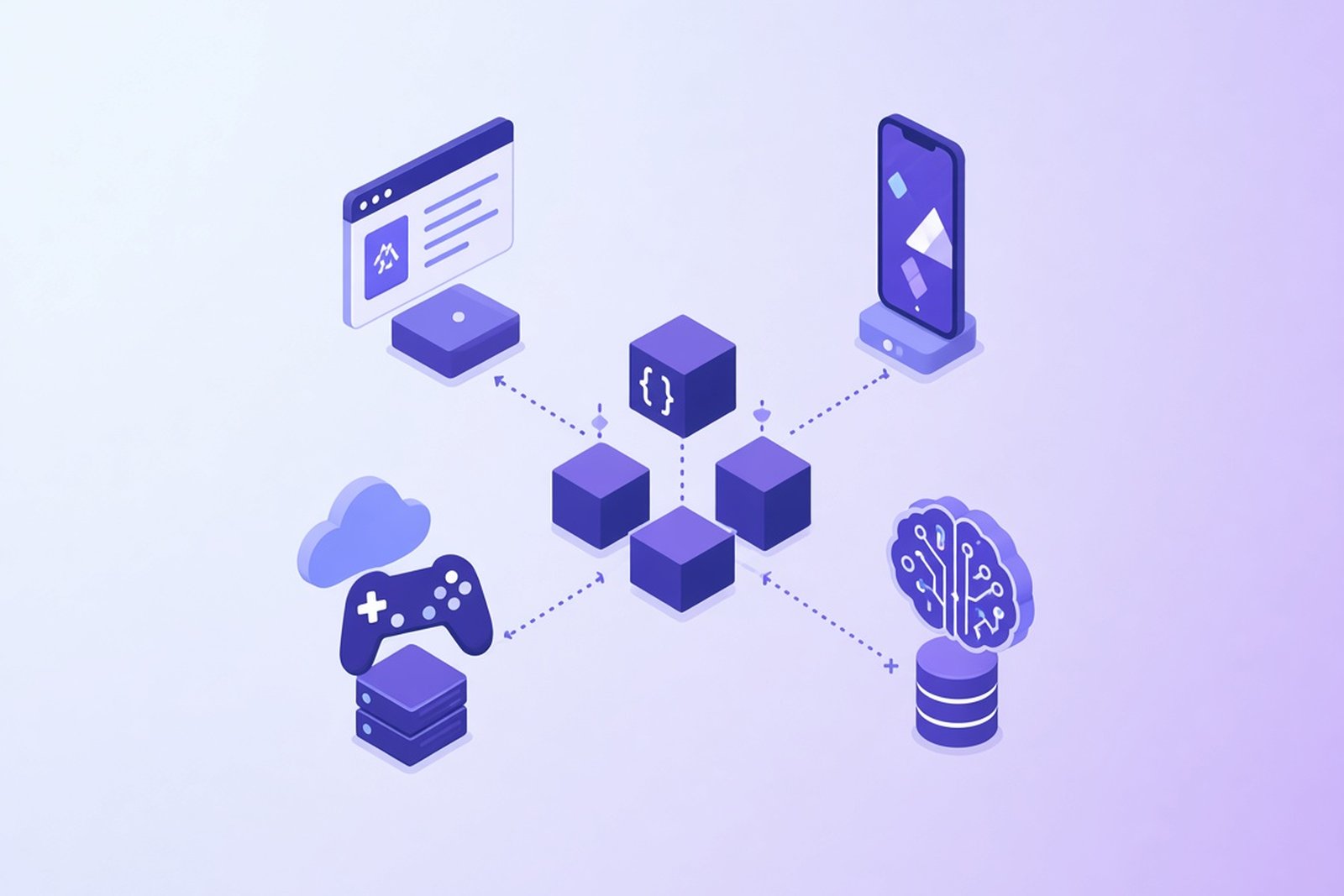
Web development splits cleanly into two jobs that used to be handled by the same generalist and rarely are anymore: what runs in the browser, and what runs on the server.
On the frontend, the choice is essentially JavaScript or TypeScript. Every browser runs JavaScript natively, and TypeScript compiles down to it, so choosing TypeScript costs a build step in exchange for catching bugs before your users do. For medium-to-large applications or long-lived team projects, that tradeoff is often worthwhile; plenty of production JavaScript ships without it too.
On the backend, the field opens up. Python (via Django or FastAPI) and PHP (via Laravel) both let a small team ship fast. Java and C# handle workloads that need to scale to enterprise traffic with a long support horizon. Node.js lets a JavaScript or TypeScript team run the same language on both ends of the stack, cutting down on context-switching.
Worth being precise here: React, Angular, and Node.js are frameworks and a runtime built on top of JavaScript and TypeScript, not languages of their own. The same goes for Django and Laravel sitting on top of Python and PHP.
For most new web development projects in 2026, the practical default looks like TypeScript across the stack, or TypeScript on the frontend paired with Java, C#, or Python on the backend depending on what the backend actually needs to do.
Best Programming Languages for Backend Development
Backend language choice comes down to a tradeoff between how fast a team can build and how much the system needs to scale later.
Python and TypeScript, through the Node.js runtime, both favor speed of development. A small team can stand up a working API in days, backed by a huge ecosystem of libraries for almost anything they'd need to bolt on. The cost shows up later, if traffic grows large enough that raw performance starts to matter and the codebase wasn't built with that in mind.
Java and C# sit at the other end. Frameworks like Spring Boot and ASP.NET Core have closed a lot of the old gap in getting a first version running. For teams building large, long-lived backend systems, .NET development provides a mature ecosystem around C# and ASP.NET Core for this type of architecture. What they buy with that structure is mature conventions and tooling for building large, long-lived systems, though the language alone doesn't guarantee scale; architecture still does most of that work. That's why so much backend infrastructure at large, established companies still runs on one or the other.
Go splits the difference in an interesting way: fast to write, fast to run, and built specifically for the concurrent, high-throughput services that back cloud infrastructure. Rust enters the conversation when a specific service has performance or safety requirements that justify its steeper learning curve, not usually as a default for an entire backend.
There's no universal winner here. A startup validating an idea and an enterprise processing millions of transactions a day have different problems, and the right backend language reflects that.
Best Programming Languages for AI and Machine Learning
Python dominates AI development, and it's worth being specific about why, since "Python is used for AI" undersells it. The libraries most AI work depends on, PyTorch, TensorFlow, scikit-learn, Hugging Face's transformers library, are all Python-first, with the Python API getting the fastest updates and the best documentation.
That doesn't mean AI models themselves run entirely on Python under the hood. The performance-critical parts, the actual matrix operations that make training and inference fast, are usually written in C, C++, or CUDA and just exposed through a Python interface. Python is the layer researchers and engineers actually write in; it's rarely the layer doing the heavy lifting at the hardware level.
Julia gets used in research contexts where Python's performance ceiling becomes a real constraint, particularly in numerical and scientific computing. R shows up in statistics-heavy machine learning work, especially in academic and biostatistics settings. Java and C++ appear in specific enterprise AI deployments where a company's existing infrastructure already runs on one of them.
For a team starting an AI product today, Python is the go-to language, not because it's the fastest option technically, but because the ecosystem around it, the pretrained models, the tooling, the available talent, makes it the fastest path to something working.
Best Programming Languages for Mobile Development
Mobile development splits into native and cross-platform, and conflating the two leads to bad decisions.
Native development means writing separate codebases for iOS and Android, each in the language built for that platform. Swift is the standard for iOS and macOS. Kotlin is Google's preferred language for Android, has been since 2019, and interoperates fully with existing Java Android code. Native gives you the best possible performance and the fastest access to new platform features, at the cost of maintaining two codebases with two teams, or one team switching between two languages.
Cross-platform development, most commonly through Dart and Flutter, trades some platform-specific control and, depending on the workload, potentially some performance for a single codebase that ships to both platforms. For a lot of products, especially ones without extremely demanding performance requirements, that trade makes sense.
TypeScript and JavaScript get a mention too, through React Native, which lets web-leaning teams reuse some frontend skills for mobile. How it compares to Flutter depends heavily on UI complexity, how many native integrations the app needs, the team's existing skills, and overall architecture, not on a single performance number.
C# also has a mobile history worth a footnote: Xamarin let teams write mobile apps in C# with shared logic across platforms. Microsoft retired it in 2024 in favor of .NET MAUI, its successor, so a team choosing C# for mobile today should be building on MAUI, not looking for a Xamarin project to start fresh.
There's no single right answer. A consumer app chasing pixel-perfect platform-specific design usually goes native. A B2B tool trying to reach both app stores on a tight timeline usually doesn't need to.
Best Programming Languages for Enterprise Software
Enterprise technology decisions rarely come down to which language is trendiest. They come down to stability, who can be hired to maintain it in five years, and whether it plays well with what's already running.
Java and C# have owned this space for two decades running, and for good reason. Both have mature ecosystems built specifically around enterprise concerns: security compliance, transaction management, and integration with legacy systems that aren't going anywhere soon. For Microsoft-centric enterprise environments, .NET development is a natural fit for building and modernizing these long-lived systems. Both also have deep talent pools, which matters enormously when a system needs support for the next decade, not just the next release.
TypeScript development, Python, and Go increasingly show up at the edges of enterprise stacks, usually for newer services, internal tools, or automation layered around a core Java or .NET system rather than replacing it outright. Few enterprises do a clean rewrite; most add newer languages incrementally around a stable core.
The real evaluation criteria go beyond the language itself: how mature is the ecosystem, how available are developers who already know it, how well does it integrate with the six other systems it needs to talk to, and how much does it cost to maintain over a ten-year horizon rather than a one-year one. A trendy language that's hard to staff for in year seven isn't the safe choice it looks like in year one.
Best Programming Languages for Systems Programming
Systems programming means writing code close to the hardware, operating systems, drivers, embedded firmware, where a garbage collector's unpredictable pauses or a slow abstraction layer just aren't acceptable.
C has been the default here since the 1970s, and it's still taught first for a reason: it gives you almost no safety net, which forces an honest understanding of memory and hardware. C++ builds on that foundation with object-oriented features and a much larger standard library, and remains deeply embedded in game engines and performance-critical applications.
Rust is the newer option, and the real difference between Rust and C or C++ isn't performance, all three sit in the same tier there. It's safety. Rust's compiler catches memory bugs, use-after-free errors, data races, at compile time, the same class of bugs responsible for a disproportionate share of security vulnerabilities in C and C++ codebases over the decades. You pay for that with a steeper learning curve up front.
For a new systems project today, Rust is worth serious consideration specifically because of that safety profile. For maintaining or extending an existing C or C++ codebase, sticking with the language already in use is usually more practical than introducing a third one.
Best Programming Languages for Data Science
Python does most of the heavy lifting in modern data science, largely because Pandas, NumPy, and Jupyter notebooks turned it into a genuinely comfortable environment for exploring data interactively, not just writing production code.
SQL is the language underneath almost all of it. Before any analysis happens, someone has to pull the right data out of a relational database, and that's SQL's entire job. Treating it as optional for a data role is a mistake; it's closer to a prerequisite.
R still holds its ground in academic statistics and biostatistics, where its purpose-built statistical libraries and visualization tools remain some of the best available, even with a thinner general-purpose ecosystem than Python's. Julia shows up when the numerical workload is heavy enough that Python's performance becomes a real bottleneck, particularly in scientific and quantitative research.
A realistic data science stack in 2026 usually looks like Python for the analysis and modeling and SQL for getting the data in the first place, with R remaining particularly valuable in statistics-heavy domains such as biostatistics, academia, and research.
Best Programming Languages for Game Development
Game development narrows down fast once performance requirements enter the picture, and they always do.
C++ powers Unreal Engine and most high-performance, graphically demanding games, giving developers the low-level control needed to squeeze maximum performance out of whatever hardware the game runs on. C# does the same job for Unity, one of the most widely used engines for everything from mobile games to mid-size indie titles to VR applications.
The choice mostly comes down to which engine fits the project, not the language in isolation. A studio building a graphically intensive title on Unreal is going to be writing C++ regardless of any other preference. A smaller team building a 2D or mobile game on Unity is going to be writing C#. Neither language is fighting for territory; the engine decision already made the language decision.
Best Programming Languages for Startups and MVPs
This section matters more to a founder than any ranking of "best" languages ever will, so it's worth being direct about the tradeoffs.
TypeScript and JavaScript let a small team build frontend and backend with a single shared language and skill set, which cuts down on hiring complexity when the team is three people, not thirty. Python offers a similar speed advantage, especially with any AI or data component, and its hiring pool is enormous.
Fast development speed doesn't automatically mean the simplest language is the right call, though. A stack that's fast to build in year one but painful to hire for or scale in year three creates its own kind of technical debt, just a slower-moving one. If a product's roadmap already points toward heavy compute needs, high concurrency, or enterprise customers with strict compliance requirements, that's worth factoring in before locking in a stack purely for speed today.
For most early-stage products without unusual technical requirements, TypeScript across the stack, or TypeScript paired with Python for anything AI-related, covers a broad range of common SaaS, web, and AI-assisted MVP requirements without over-engineering the decision. It's a weaker starting assumption for hardware, native mobile, or game-dev-heavy products, which have their own defaults covered elsewhere in this guide. For products where the stack decision carries real long-term cost, an early technical assessment is often worth more than choosing a language off a popularity chart.
Programming Languages Compared
The table above groups languages by use case. This one lays each language out across the board, so you can see where it's strong and where it just isn't built for the job.
| Language | Web | Backend | Mobile | AI/Data | Enterprise | Systems | Performance | Learning Curve |
|---|---|---|---|---|---|---|---|---|
| Python | Limited | Good | Limited | Excellent | Good | Limited | Moderate | Easy |
| TypeScript | Excellent | Good | Good | Limited | Good | Limited | Runtime-dependent | Moderate |
| JavaScript | Excellent | Good | Limited | Limited | Limited | Limited | Moderate | Easy to Moderate |
| Java | Limited | Excellent | Specialized | Limited | Excellent | Limited | High | Moderate |
| C# | Limited | Excellent | Specialized | Limited | Excellent | Limited | High | Moderate |
| C++ | Limited | Good | Limited | Good | Limited | Excellent | Very High | Hard |
| Go | Limited | Excellent | Limited | Limited | Good | Good | High | Easy to Moderate |
| Rust | Limited | Good | Limited | Limited | Limited | Excellent | Very High | Hard |
| SQL | Limited | Specialized | Limited | Good | Good | Limited | Database-dependent | Easy |
| Swift | Limited | Limited | Excellent | Limited | Limited | Limited | High | Moderate |
| Kotlin | Limited | Good | Excellent | Limited | Good | Limited | High | Moderate |
"Limited" here doesn't mean impossible. Plenty of production systems break these patterns. It means the language wasn't built with that use case as a priority, and you'll feel that eventually if you push it there anyway.
What Does "Most Popular Programming Language" Actually Mean?
Ask five different sources which programming language is most popular and you'll probably get five different answers, and all five can be right at once, because they're measuring different things.
GitHub's Octoverse tracks contributor activity across public repositories, essentially how much active development is happening in a language right now. By that measure, TypeScript took the top spot in 2025 for the first time, overtaking Python and JavaScript.
Stack Overflow's Developer Survey asks working developers directly what they use and what they'd choose given a free hand. Its 2025 results show JavaScript still leading in raw usage, with Python, TypeScript, and SQL close behind, while Rust again topped the "most admired" category at 72%. Developers who use it tend to genuinely like it.
TIOBE takes a different approach entirely, tracking how often a language shows up in search engine queries. That measures how much a language gets discussed, which correlates with usage but isn't the same thing. As of August 2026, the TIOBE Index has Python, C, C++, and Java holding the top spots, an ordering that looks noticeably different from GitHub's.
Job market data adds another layer, and it varies by region, industry, and which dataset you're looking at. An Oxylabs analysis of roughly 800,000 US job postings put Python and SQL near the top of in-demand programming languages, while a separate DevJobsScanner report covering about three million postings the same year ranked JavaScript and TypeScript combined higher. Neither is wrong. They're counting different job postings.
The honest takeaway: popularity is one signal among several, not the only factor worth weighing when choosing a language for a real project. A language can rank lower by every measure above and still be the right tool for what you're building.
Popular vs. Fast-Growing Programming Languages
Popular and fast-growing aren't the same thing, and mixing them up leads to bad predictions about where a language is headed.
TypeScript is both right now: already widely used and still growing quickly, up 66.6% year over year in GitHub contributor activity according to Octoverse 2025. That combination, an already-large base still expanding, is rare and worth paying attention to.
Rust remains smaller by overall usage than Python or JavaScript, but it continues to attract unusually strong developer sentiment: Stack Overflow's 2025 survey again put it at 72% most admired, and the TIOBE Index has it climbing from #17 to #14 year over year, with TIOBE explicitly tying the move to a broader industry push toward memory-safe languages.
Go sits somewhere similar: a smaller overall footprint than the giants, but real upward movement, TIOBE has it climbing from #12 to #8 over the same period, consistent with its growing role in cloud infrastructure and DevOps tooling.
Zig is the clearest example of fast-growing-but-still-small, though the honest version of that claim is modest: there's no solid public data on its download or contributor growth yet. What's verifiable is that it's still pre-1.0 as of this writing and its hiring pool remains tiny. Calling it popular would be premature. Calling it worth watching is fair, without pretending there's a growth chart to back that up.
The practical distinction matters for a hiring decision. A popular, slow-growing language, Java is a reasonable example, still enormous but not expanding the way it once did, means a large, stable talent pool and mature tooling. A fast-growing but smaller language means momentum and often genuine technical advantages, paired with fewer people who already know it. Neither is automatically the right choice. It depends on whether a team values stability today or is willing to invest in a language still finding its footing.
Does AI Change Which Programming Language You Should Choose?
There are two separate questions hiding inside this one, and conflating them leads to confused conclusions. One is about which languages AI products themselves get built in. The other is about how AI coding tools change the way developers work in any language.
AI Software Development
Python remains the default for building AI products, for the same ecosystem reasons it dominates data science generally: PyTorch, TensorFlow, and Hugging Face all get their research code published in Python first. That's unlikely to change soon, since the network effect of an entire research community publishing in one language is hard for any competitor to break.
That doesn't mean Python sits alone in an AI product's actual architecture. C++ and CUDA still handle the performance-critical layers underneath most training and inference workloads. TypeScript and Java frequently run the application layer around an AI model, the API, the interface, the parts of the product a Python-based model never touches directly. Go and Rust show up in infrastructure serving AI workloads at scale with tight latency requirements. A real AI product is almost never one language end to end.
AI-Assisted Software Development
The more interesting shift for most teams isn't which language builds AI products. It's how AI coding assistants change day-to-day development in whatever language a team already uses. Tools that autocomplete, generate, and review code have become a normal part of the workflow across nearly every language on this list.
What hasn't changed is the underlying need for type safety, thorough testing, clear architecture, security review, and code a human can actually maintain. If anything, some of that matters more now, not less. A statically typed language gives an AI coding assistant, and the human reviewing its output, a much clearer signal about whether generated code is actually correct. GitHub has pointed to AI-assisted development as one factor behind TypeScript's recent growth specifically, arguing that typed code gives coding agents more explicit context and validation signals than a large, loosely typed JavaScript codebase does.
None of this points toward AI replacing the need for skilled developers. It points toward the fundamentals, typing, testing, architecture, mattering just as much as before, applied to a workflow where more of the first draft gets generated rather than typed by hand.
How to Choose a Programming Language for a Software Project
Everything in this guide feeds into one decision: what should you actually build your product in? Here's a practical framework for getting there, working through the factors roughly in the order they should matter.
1. Define the Product Requirements
Start with what you're actually building, not what language you already like. A web platform, a mobile app, a SaaS product, an AI-driven tool, an enterprise system, embedded software, a real-time application, each of these narrows the realistic options considerably before you've even looked at a comparison table.
2. Consider Performance Requirements
Ask how much latency, throughput, CPU load, and memory usage actually matter for this specific product. An internal admin dashboard and a real-time trading system have wildly different performance ceilings, and the language that's fine for one can be genuinely wrong for the other.
3. Evaluate Scalability
Scalability isn't just a language property. Architecture, infrastructure choices, database design, and deployment model all matter as much or more than which language you picked. A well-architected system in a "slower" language will usually outscale a poorly architected one built in the fastest language available.
4. Assess the Existing Technology Stack
If your company already runs on .NET, Java, Node.js, or Python, that existing investment often outweighs a marginal technical advantage somewhere else. Introducing a second or third language into a stack has a real cost: more tools to maintain, a smaller pool of people who can work across all of them, more surface area for something to go wrong at the seams.
5. Consider Developer Availability
Check the size of the talent pool for a language in your specific hiring market, not globally. A language with millions of developers worldwide doesn't help if there are only a handful in your city or your budget range, and remote hiring only closes that gap partway.
6. Evaluate the Ecosystem
Look at the frameworks, libraries, integrations, and tooling actually available. A thin ecosystem for your specific use case means your team builds more from scratch, which costs time whether or not the language itself is fast to write.
7. Consider Security Requirements
Security requirements matter more in some domains than others, fintech, healthcare, anything handling regulated data, and they should shape the decision directly. A language with strong memory safety guarantees, or a mature ecosystem of security tooling, is worth the tradeoff in those contexts even at some cost to development speed.
8. Think About Maintainability
Code gets read and modified far more often than it gets written the first time. Readability, a solid typing system, good testing tools, and overall language maturity all affect how expensive a codebase is to maintain three years from now, long after the original team has moved on to other things.
9. Consider Time to Market
For startups, MVPs, and proof-of-concepts, time to market often outweighs long-term technical purity, at least in the first version. That's a legitimate reason to pick a faster-to-build language even knowing you might outgrow parts of it later, as long as you go in with your eyes open about that tradeoff.
10. Calculate Long-Term Development Cost
The sticker price of building version one is rarely the real cost. Maintenance, hiring, infrastructure, the risk of a painful migration down the road, and accumulated technical debt all add up over a product's lifetime, and a cheaper-looking language upfront can end up costing more by year three.
The best programming language is the one that best fits the product requirements, architecture, team, ecosystem, and long-term business goals, not the one topping this month's popularity index.
Not sure which technology stack fits your project? Softellar can help evaluate your product requirements and choose an architecture and technology stack based on scalability, performance, development speed, and long-term maintenance needs.
How to Choose Your First Programming Language
Everything above this section was written for people building a product. This part is for someone deciding what to learn first when they're just getting into computer programming, which is a genuinely different question with a different answer.
Python is a reasonable starting point for a lot of people, not because everyone should learn it, but because its syntax gets out of the way early, letting a beginner focus on actual logic instead of fighting the language itself. It's also a fair on-ramp toward automation, AI, and data work if any of those interest you later.
If web development is the actual goal, start with JavaScript, or JavaScript and TypeScript together. You'll see results in a browser almost immediately, which keeps motivation up more than people expect when they're starting out.
Java or C# make sense if enterprise or backend development is the target, and either one doubles as a solid foundation in object-oriented programming that transfers well to other languages later.
If the goal is iOS development specifically, Swift is the direct path. Kotlin plays the same role for Android. Neither is a great "first language ever" choice if you're not sure mobile is even what you want, since both come with platform-specific setup overhead before you write a single line of real logic.
C, C++, or Rust are worth learning if systems programming genuinely interests you, but they're a rough first language for most beginners. The concepts they force you to understand, memory management especially, are valuable, just not necessarily the easiest place to start.
There's no rule that everyone has to start with Python, despite how often that advice gets repeated. The better question is what you actually want to build, then picking the language that gets you there fastest without boring you into quitting in the first month.
Older and Niche Programming Languages Still Worth Knowing
A handful of older languages don't show up in any "top languages" ranking anymore but still run real systems, or still teach something worth knowing. Legacy doesn't mean useless. It usually just means the language found its niche and stayed there.
COBOL is the clearest example. Written in 1959 and 1960 by a CODASYL committee heavily influenced by Grace Hopper's earlier work, it still runs a huge share of banking and government financial systems that were never fully replaced: decades of business logic nobody wants to risk rewriting. Almost nobody chooses COBOL for a new project, but plenty of institutions still pay well for someone who can maintain the old one.
Fortran, dating back to 1957 and built at IBM, still shows up in scientific and high-performance computing, particularly physics and climate modeling, where decades-old numerical libraries remain some of the fastest available for certain calculations.
Perl, released by Larry Wall in 1987, used to be the default language for text processing and quick server-side scripts before PHP and Python took over that territory. It still appears in legacy sysadmin scripts and some bioinformatics tooling.
Objective-C was Apple's primary language before Swift replaced it in 2014. Older iOS and macOS codebases still run on it, and some large apps have never fully migrated, but almost nothing new starts in it today.
MATLAB, originally built by Cleve Moler for teaching linear algebra before MathWorks commercialized it in 1984, remains genuinely strong for matrix manipulation and engineering simulations, especially in academic and research settings with existing institutional licenses.
Haskell, formalized in 1990, is a purely functional language with a much smaller commercial footprint than mainstream general-purpose languages, though it does run in production at a handful of companies with a taste for it. Its bigger impact has been on other languages: it's shaped how a lot of modern languages think about type safety and immutability.
Lua is small, fast, and built to be embedded inside other applications rather than run standalone. It's the scripting language behind a huge share of game engines and modding tools, doing quiet, unglamorous work most players never think about.
Visual Basic, and its successor VB.NET, was Microsoft's approachable, beginner-friendly language for Windows development through the 1990s and 2000s. A surprising amount of internal business tooling at established companies still runs on it, even though Microsoft's own recommendations shifted toward C# for new development years ago.
Object Pascal, the language behind Borland's Delphi, had a real moment in the 1990s as a fast way to build Windows desktop applications with a visual designer. Delphi still has an active user base today, mostly maintaining existing enterprise applications rather than building new ones.
Assembly language isn't really one language. It's a family of them, one per processor architecture, sitting one level above raw machine code. Large applications are rarely written primarily in assembly today, but it still gets used for tight performance optimization, and understanding it is genuinely useful for anyone doing serious systems or embedded work.
None of these are coming back as a default choice for a new product. They're worth knowing because a lot of software running today, code that moves money, controls infrastructure, or runs research labs, was written in one of them and hasn't gone anywhere.
Softellar Engineering Perspective
Choosing a language rarely happens in isolation, and in our own project work it almost never comes down to which one is trending. The real evaluation covers architecture fit, product requirements, expected scale, how fast the team needs to move, what infrastructure is already in place, the engineering expertise actually available, and how the choice affects security and long-term maintenance.
It's also worth being upfront about something popularity charts tend to obscure: most real products aren't built in one language, and most developers work across several rather than committing to just one over a career. A typical modern stack might pair a TypeScript frontend with a Java or .NET backend, or a Python service handling AI or data work sitting next to a TypeScript web application, or Go microservices running alongside a larger Java enterprise platform. These combinations aren't compromises. They're usually the more deliberate choice, using each language where it's actually strongest instead of forcing one tool to do every job.
That's the practical version of everything covered in this guide: fewer absolute rankings, more fit-for-purpose decisions made with the specific product in mind. A dedicated development team that's worked across multiple stacks tends to make that call faster, mostly because they've already seen where each language's tradeoffs actually bite in production, not just in theory.
Which Programming Language Is Best in 2026?
There isn't one, and that's not a dodge. It's the actual answer.
Python remains a strong choice for AI, data-heavy work, and automation. TypeScript and JavaScript run the web. Java and C# still anchor enterprise software. Go keeps winning cloud and backend infrastructure. Rust and C++ handle the performance-sensitive systems where safety or speed can't be compromised. Swift and Kotlin cover native mobile, with Dart as the cross-platform alternative. SQL sits underneath nearly all of it, quietly required no matter what else is on the list.
Each of those is genuinely the right answer for the right project, and genuinely the wrong one for a different project a mile away. There is no universally best programming language. The right choice depends on the product being built, not on whichever language happens to be trending this year.
If you're weighing that decision for an actual product right now, it's worth getting a second opinion before committing. Softellar works across most of the stacks covered in this guide and can help you land on one that fits your product, your team, and where you're planning to take it next.